
PTC Creo
PTC Creo is Award Winning 2D and 3D CAD Software. With the PTC Creo product development software suite, you can take your product from concept to digital prototype and do so with efficiency, accuracy and a measure of grace. Our software is intuitive and all works together.
The Industry’s Leading 3D CAD Software
PTC Creo is a saleable, interoperable suite of product design software that delivers fast time to value. It helps teams create, analyze, view and leverage product designs downstream utilizing 2D CAD, 3D CAD, parametric & direct modeling. We’ve been at the cutting-edge of CAD for more than 30 years. Come join us.

Why PTC Creo?
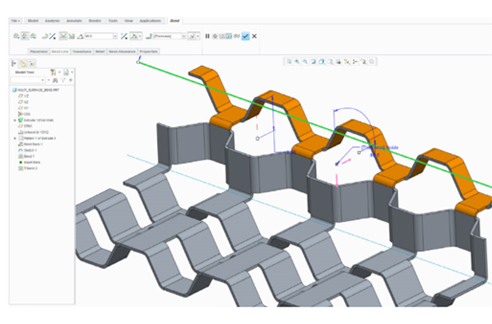
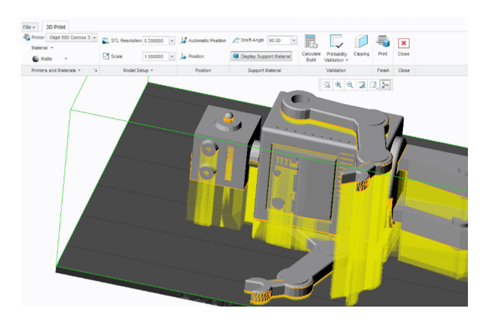
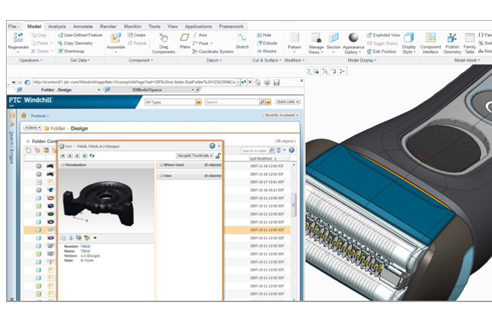
PTC Creo is a suite of applications you can use to design products the way you want – not the way your CAD tool requires. With PTC Creo, you can create, analyze, view, and share designs downstream using 2D CAD, 3D CAD, parametric and direct modeling capabilities. Each PTC Creo application shares the same user interface and is interoperable, meaning data can seamlessly transition from one to another
PTC Creo Parametric
The flagship application in the Creo Suite, Creo Parametric is the only software you need for 3D CAD. With Creo Parametric, you can seamlessly combine parametric and direct modeling; open non-native CAD data and collaborate with almost anyone thanks to Unite technology; and relax knowing all downstream deliverables will update automatically. Combine this range of capabilities with ease-of use, and you have a product design accelerator.
3D CAD
From the comprehensive capabilities of Creo Parametric to applications specializing in direct modeling, Creo has what you need. Whether you need speed and flexibility to meet a deadline, or are in the initial stages of concept design, direct modeling lets you work with geometry quickly and easily.
Creo Parametric: Design your entire product using both parametric and direct modeling
Creo Direct: Interact directly with geometry. Suitable for infrequent CAD users.
Creo Options Modeler: Easily create variants of configurable products
Creo Elements/Direct Modeling: Comprehensive direct modeling capabilities
PTC 2D CAD
Creo Sketch: Use this free download to capture initial ideas
Creo Layout: Leverage 2D data to produce 3D models that accurately reflect design intent
Creo Schematics: Create 2D schematic designs of routed systems
Creo Elements/Direct Drafting: Meets the 2D needs of designers and engineers
PTC Simulation
Simulate early and often with software that’s easy to set up, use, and run. Now you can resolve basic design issues in engineering before handing off your product to Analysis.
PTC Visualization
Now colleagues can see your design in the file format that suits them, so design reviews are more productive and data can be reused. Fewer, better prototypes mean faster design cycles and more money in your budget.
 Creo View MCAD: Intuitive viewer allows non-CAD users to see your design
Creo View ECAD: Allows the entire team to see PCB-related designs
Creo Illustrate: Create powerful 3D interactive technical illustrations
Creo View Mobile: Use your iPad or iPhone to see models created in Creo View
PTC Creo Illustrate
PTC Creo Illustrate combines 3D illustration capabilities with associative CAD data to deliver configuration-specific graphical information — information that reflects the current product design — for operating, servicing and maintaining products. It enables users to create 3D technical illustrations that clearly communicate complex products and procedures.
PTC Creo Option Modeler
PTC Creo Options Modeler, an extension to PTC Creo Parametric or a stand-alone product, allows you to create and work with configurable structures. When you combine PTC Creo Options Modeler with PTC Windchill, you can manage complex configuration logic easily, including content that comes from PTC or third-party applications.
Easy to expand, impossible to outgrow
The unlimited scalability of the software means you can easily add new users, new modules, and new capabilities as your business and your needs continue to grow, and you‘ll never have to worry about importing incompatible data or learning a new user interface. Add-on extensions seamlessly provide extended capabilities including the following products:
3D CAD – Advanced design solutions
Creo provides a number of advanced, specialized capabilities to meet the broad range of designers’ needs. From structural frameworks to digital human models, Creo extensions help you capture more of your design in 3D
- Creo Flexible Modeling Extension
- Creo Options Modeler Extension
- Creo Layout Extension
- Creo Advanced Assembly Extension
- Creo Advanced Framework Extension
- Creo Manikin Extension
- Creo Piping and Cabling Extension
- Creo Intelligent Fastener Extension
- Creo Harness Manufacturing Extension
- Creo Design Exploration Extension
- Creo Manikin Extension
- Creo Piping and Cabling Extension
- Creo Intelligent Fastener Extension
- Creo Harness Manufacturing Extension
- Creo Design Exploration Extension
3D CAID extensions
Creo delivers the capabilities you need to create the precise shapes, surfaces, and aesthetics of your design. Unleash your creativity and show your designs “in the best light” with Creo CAID products
- Creo Interactive Surface Design Extension
- Creo Advanced Rendering Extension
- Creo Reverse Engineering Extension
3D CAE extensions
Verifying the performance of your designs early in the process can help you get to the end-result faster. That’s why Creo provides design engineers with a broad range of integrated simulation and analysis capabilities to help them design with confidence
- Creo Simulation Extension
- Creo Advanced Simulation Extension
- Creo Behavioral Modeling Extension
- Creo Fatigue Advisor Extension
- Creo Advanced Framework Extension
- Creo Mechanism Dynamics Option
- Creo Mold Analysis Extension
- Creo Spark Analysis Extension
- Creo Manikin Analysis Extension
- Creo Tolerance Analysis Extension
3D NC and Tooling extensions
Streamlining tooling design and manufacture can accelerate your time to market. Creo NC and Tooling solutions provide a broad range of mold, tool, and die design and machining capabilities so you can leverage your 3D CAD data – thereby saving time and reducing errors
- Creo Progressive Die Extension
- Creo Expert Moldbase Extension
- Creo NC Sheetmetal Extension
- Creo Prismatic and Multi-Surface Milling Extension
- Creo Production Machining Extension
- Creo Complete Machining Extension
- Creo Complete Mold Design Extension
- Creo Computer-Aided Verification Extension
- Creo Tool Design Extension
Multi-CAD data exchange and other products
Creo Parametric provides native data exchange with numerous 2D and 3D file formats. The following add-on extensions also provide associative interoperability and other capabilities, such as distributed processing, interoperability with 3rd-party applications, and more
- Creo Distributed Batch Extension
- Creo Collaboration Extension for CATIA V4/V5
- Creo Collaboration Extension for SolidWorks
- Creo Collaboration Extension for UG/NX
- Creo Interface for JT
- Creo Legacy Data Migration Extension